Expand description
§Demo: shader_editor
A visual WGSL shader editor built on iced_nodegraph. Nodes are placed and
wired on the canvas; the graph is validated and compiled to WGSL on every
change. The demo showcases a larger, more structured node graph with typed
sockets and a node-to-code compiler.
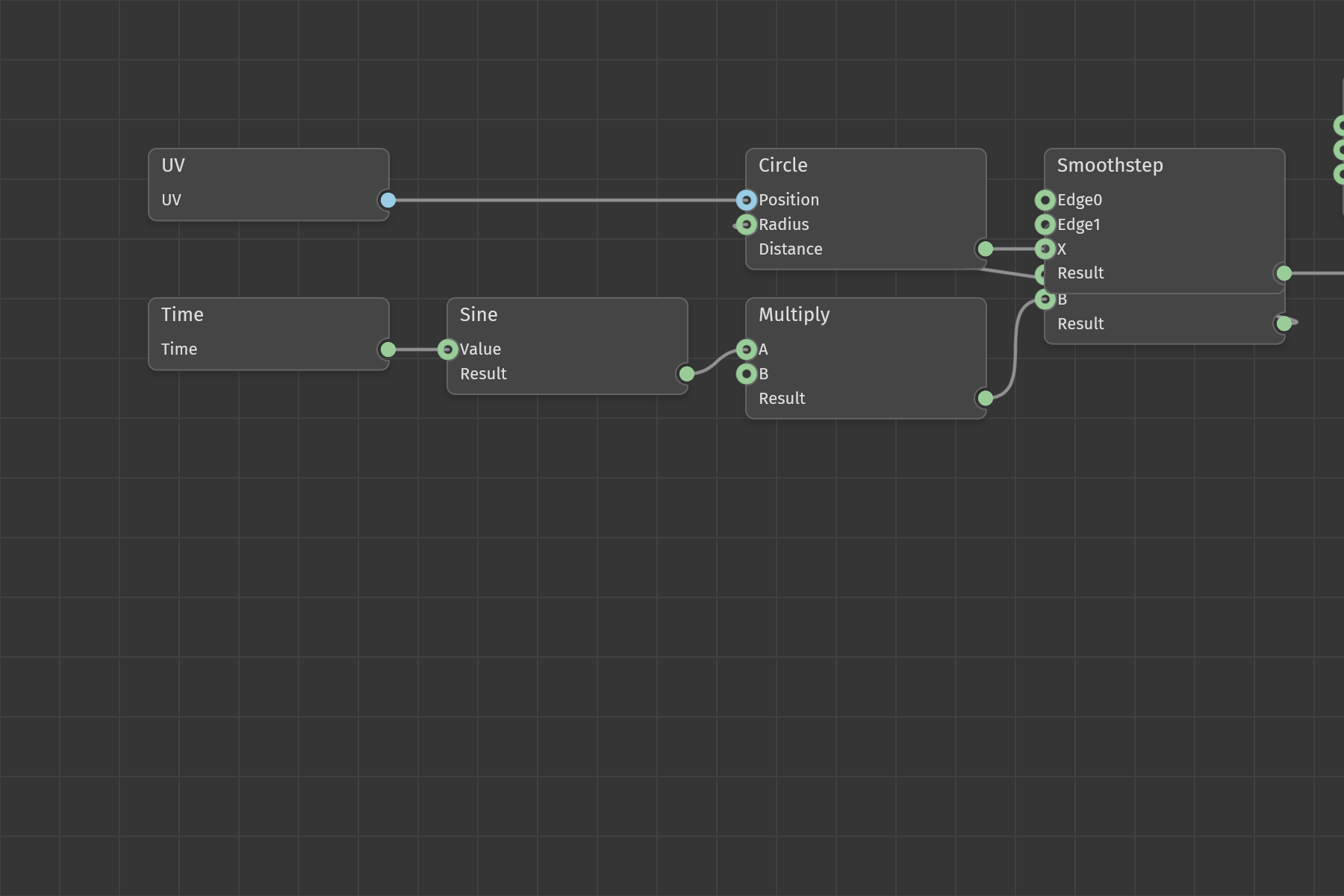
The editor opens with a small default graph (UV and Time inputs feeding a Circle SDF and a Smoothstep, combined into a color and routed to an Edge Output) that compiles successfully on launch.
§Features
- Command palette (Cmd/Ctrl+Space) to add shader nodes, grouped by category: Input, Math, Vector, Color, SDF, SDF Ops, Logic, and Output.
- Typed sockets with TypeId-based connection matching. Socket types are Float, Vec2, Vec3, Vec4, Bool, and Int, each drawn in a distinct color. The pin system rejects type-mismatched connections.
- A node graph compiler that, on every edit:
- Validates the graph (cycle detection via Kahn’s algorithm, socket type checking, and a required output node).
- Orders nodes by topological sort.
- Generates a WGSL fragment shader, prepending the bundled SDF library.
- Theme switching (Dark, Light, Catppuccin Mocha, Dracula, Nord).
- Selection, group move, pan, zoom, edge connect, and edge disconnect.
§Controls
- Cmd/Ctrl+Space - Open or close the command palette.
- Arrow Up / Arrow Down - Navigate palette entries.
- Enter - Confirm the selected palette entry.
- Escape - Cancel the palette.
- Drag a node - Move it; group selections move together.
- Drag from a pin - Connect to a compatible (same-type) pin.
- Click a connected pin - Unplug that connection.
- Ctrl/Cmd+click an edge - Cut it.
- Scroll - Zoom in or out at the cursor.
- Right-drag - Pan the canvas.
These are the widget defaults; the root README has the full table.
§Code Structure
src/shader_graph/- Node types, sockets, connections, and the graph model.src/compiler/- Validation, topological sort, and WGSL code generation.src/sdf_library.wgsl- SDF helper functions included in compiled output.src/error_shader.wgsl- Fallback error visualization shader.src/default_shader.rs- The starter graph loaded on launch.
§Extending
To add a working node:
- Add a variant to
ShaderNodeTypeinshader_graph/nodes.rsand list it inall()so it appears in the palette. - Define its sockets in
inputs()andoutputs(). - Add code generation in
compiler/codegen.rs.
§Limitations
This is a demonstration of the node-to-WGSL pipeline, not a complete shader authoring tool. Current behavior:
- The compiled WGSL is produced and validated, but it is not yet injected into a live rendering pipeline. There is no in-app preview surface; the result is the generated shader string and its compile status.
- Code generation covers a subset of the listed node types: the math and vector
operators, the Circle and Box SDF primitives, and the Union, Subtraction,
Intersection, and smooth-boolean SDF operations. The remaining enumerated
nodes (most SDF primitives, color operations, and logic nodes) appear in the
palette, but a graph containing one fails to compile with
CompileError::CodeGenerationrather than emitting a body that silently returns zero. Several also have no defined sockets yet. The starter graph uses only handled types, so it still compiles on launch. - Only the edge fragment shader entry point is generated. The other output node types are recognized for validation but do not yet drive separate shader passes.
- The bundled
error_shader.wgslis provided as a fallback but is not wired into rendering.
§Running
cargo run -p demo_shader_editor