Expand description
§Demo: hello_world
An interactive node graph application built on iced_nodegraph. Despite the
name, this is the most feature-complete demo: it combines a command palette,
theme switching, a live style-configuration node system, selection and grouping,
and persistent state.
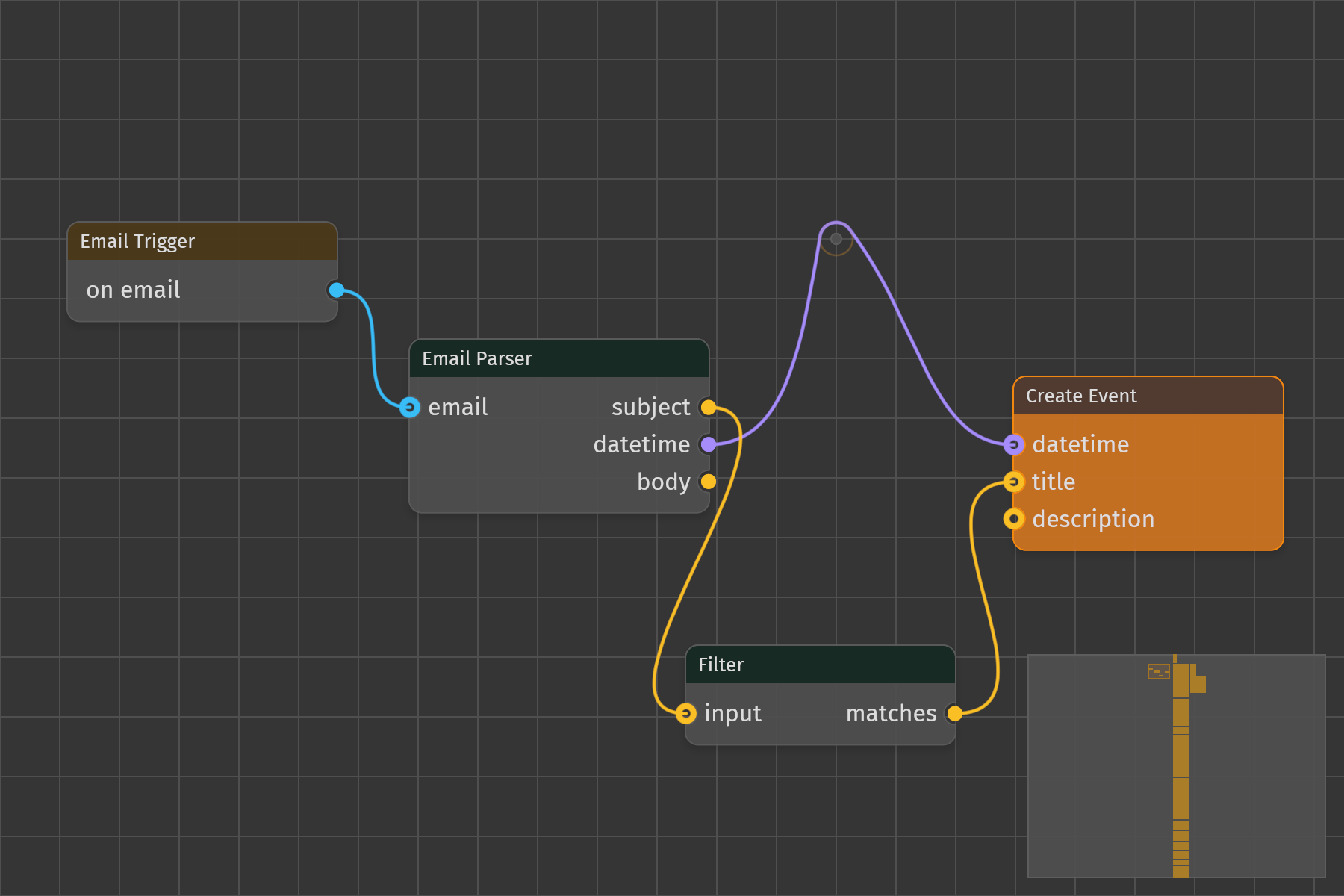
The graph opens with a small example workflow (email trigger, parser, filter, calendar) wired together, plus the config rig to its right that drives every style the widget resolves, or restores the last saved session on native targets.
§Features
- Command palette (Cmd/Ctrl+Space) for adding nodes and switching themes, with fuzzy filtering, keyboard navigation, and nested submenus.
- Multiple node families:
- Workflow nodes: email trigger, email parser, filter, calendar.
- Input nodes: float slider, integer slider, boolean toggle, RGB color picker, color presets, and enum selectors for edge curve, pin shape, edge pattern type and tiling kind.
- Math nodes: Add, Subtract, Multiply, Divide. Math nodes can be chained; results propagate iteratively through the graph.
- Builder nodes: Color Quad (four corners to a gradient), Vec2, and Alpha (a color with a chosen opacity; the theme nodes emit opaque colors).
- Theme nodes: the active theme’s palette and extended palette as color outputs, so a rig follows the theme.
- Config nodes, one per
iced_nodegraph::Catalogclass: Node, Edge, Pin, Graph, Anchor, Selection Box, Cutting Tool and Minimap Config. Each has one input pin per style field and a config output. - Sinks: the Catalog node, with one input per class and status (
node,node:selected,pin,pin:valid_target,edge,edge:pending_cut,drag_edge,anchor,anchor:hovered,anchor:valid_target,graph,selection_box,cutting_tool,minimap), and Node Class, which assigns a node config to a single node picked from a list. - Frame: a titled region that moves the nodes laid over it.
- Live style configuration: connect input nodes (sliders, color pickers, palette pins) to config nodes, then route those into the Catalog to drive the graph’s appearance. A status input layers over its idle class the way the library’s selected default layers over idle; a Node Class wins over the Catalog for its one node. Changes apply immediately as values flow.
- Routing anchors: drag a cable mid-run to create an anchor, drag a cable onto an anchor’s orbit to attach it, and a minimap in the bottom-right corner.
- Theme switching across 22 built-in Iced themes, with live preview while the theme submenu is open.
- Selection, clone, delete, and group-move for nodes, with a selection box and an edge cutting tool.
- Pan and zoom with cursor-anchored zoom.
- State persistence (native only): nodes, edges, anchors and routes, theme, camera, window geometry, and config-section expansion are saved to disk and restored on launch.
§Controls
- Cmd/Ctrl+Space - Open or close the command palette.
- Cmd/Ctrl+N - Jump straight to the Add Node submenu.
- Cmd/Ctrl+T - Jump straight to the Change Theme submenu.
- Cmd/Ctrl+E - Export the current graph state to a file (native only).
- Arrow Up / Arrow Down - Navigate palette entries.
- Enter - Confirm the selected palette entry.
- Escape - Cancel the palette (reverts any theme preview).
- Drag a node - Move it; group selections move together.
- Drag from a pin - Create a connection to a compatible pin.
- Ctrl/Cmd+click an edge, or Ctrl/Cmd+drag across edges - Cut connections.
- Left-drag on empty canvas - Box select.
- Scroll - Zoom in or out at the cursor.
- Right-drag - Pan the canvas.
These are the widget defaults; the root README has the full table, including the touch and web variants.
§Style Configuration
The boot scene ships a complete rig: one frame per Catalog class and status, each holding a source for every field of its config node, all wired into one Catalog node, and a Node Class frame that tints the calendar node. Move any slider in a frame and the corresponding class updates live; the palette pins re-color when the theme changes. Add your own input nodes and config nodes through the palette to extend it.
§Running
cargo run -p demo_hello_world§Notes
- Persistence is native only. On WASM the graph lives in memory for the session, and state export is disabled.
- Saved state is written to the OS data directory, for example
%APPDATA%\iced_nodegraph\demo\state.jsonon Windows. - Node and edge identifiers use NanoID strings; pins are identified by stable string labels.
- WebGPU is required for the browser build; Chromium-based browsers are recommended.